Engineering Leadership in the Age of AI
How AI is reshaping modern engineering leadership, accelerating decision-making, and redefining how teams design, build, and ship software.
Insights on platform modernization, CI/CD, team scaling, technical architecture, and building products that last.
44 articles on engineering leadership and technical strategy

A grounded explanation of vibe-coded software—how modern AI-native tools enable fast, fluid, high-quality software creation without requiring deep focus or hours of manual coding.

A clear, practical breakdown of how fractional CTOs differ from consultants—and how founders can choose the right model for their stage and risk profile.

A practical, modern framework for building engineering teams that consistently deliver high velocity, high quality, and low drama.

A breakdown of modern AI-augmented engineering workflows—and how teams can ship faster with less cognitive load while maintaining quality.

A blueprint for scaling an engineering team quickly while preserving culture, velocity, decision-making quality, and product stability.

A practical decision-making framework for engineering leaders who need to move fast without creating long-term architectural pain.

A perspective shift on tech debt—why teams misuse the term and how to distinguish real strategic debt from simple code dissatisfaction.

Why small engineering teams consistently outperform large ones—and how to structure them for clarity, ownership, and execution.

A practical definition of engineering culture—and the behaviors that separate healthy, high-output teams from dysfunctional ones.

Several years ago, I wrote what was and still is one of my most popular blogs to date. It's an article where I provided some tips and tricks on finding infected WordPress files on your server.

Easily export a list of all orders and their associated coupon usage for Magento orders using SQL

Use the wpcli and system cron to automatically unpublish a blog article or page at a specific time.

It's all about UptimeRobot When managing multiple WHM servers with hundreds of cPanel accounts, sometimes you need a quick and easy way to monitor your sites uptime.

I've been doing a lot of bash scripting with WordPress, especially with WP CLI. Here are some snippets I found useful.

When launching an existing Magento store, one of the last things you will need to do is migrate all of the current Customers and Orders from the production site, into development, prior to actually going live.

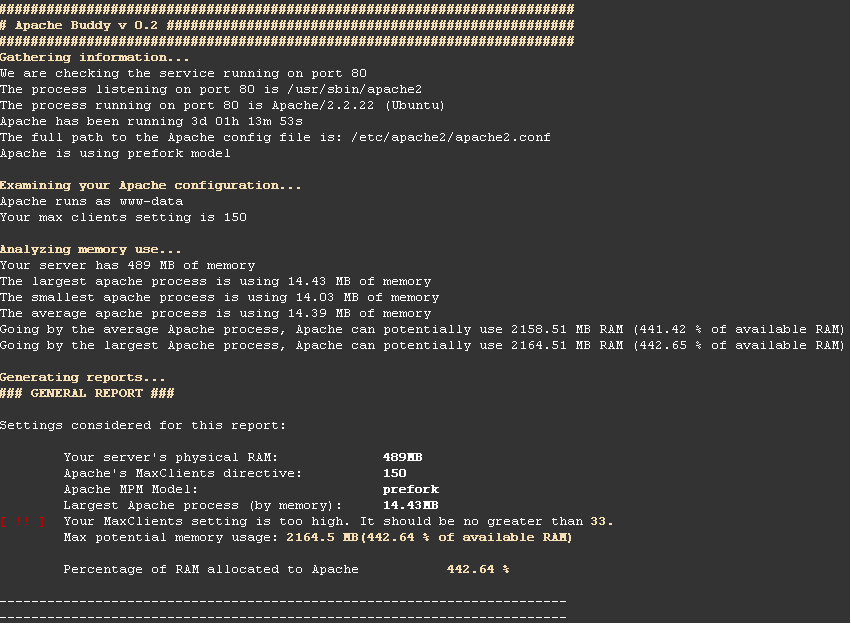
Have you ever found yourself needing to speed up apache or mysql? Here's a quick writeup on some very useful tools when you first setup Apache and MySQL.

Learn how to remove Visual Composer from your WordPress post excerpts using easy to drop in php functions which can be called anywhere in your site

I searched low and high to figure out how to create options pages in the updated version of Advanced Custom Fields (version 5 of ACF)

One of the best and most widely used form building plugins for WordPress is gravity forms. If you've ever needed to allow users to upload files to your site, but you want to make sure those files are not harmful, the following tutorial will help you with just that!

Using App::before You might be able to take advantage of the App::before() block in the app/filters.php file.

Easily optimize all PNG and JPG images within your website for Google Page Speed improvements.

When building out a custom theme, one of the first things most developers will need in their set of tools and resources to write efficient code will be jQuery.

Easily deploy a templated robots.txt file to all accounts within your WHM / cPanel server.

Here's a great snippet for pulling a users Instagram Feed and doing whatever you want with it.

If you've ever found yourself with a hacked WordPress site, one of the hardest things to do is scan your entire server and find all of the infected files.

I did this simple hack on a private WordPress Multisite blog, to stop it sending me emails every time I created a new blog.

Here's a neat little trick that will get you the latest post ID from WordPress.

If you have setup a Backup to run in WHM -> Backup -> Backup Configuration and would like to force it to run immediately instead of waiting for the backup schedule you can do so through SSH.

Here's a compiled list for a lot of GREAT deals for Black Friday. If you're a developer, or even a designer there's definitely something here for you!

Recently while coding out an e-blast I came across an issue where the layout rendered perfectly on desktop and mobile devices ( it was a responsive theme ) with any email client, except gmail on both iOS as well as Android.

If you've ever had to deal with a hack before, you know how frustrating it can be figuring out what files were infected. This is a great method for finding all the PHP and JavaScript files that have been touched within the last couple of weeks.


Determine which magento patches have been installed on your site.

Often you may want to change all text between certain tags within Sublime Text, remove all types of certain tags, or change all of one HTML Tag to another. This is very often the case in XML documents or if you are removing all comments.

Today I faced a pretty daunting task, I needed to check around 2,600 rows of checkboxes across 4 different sites, each that had 3 different options.

With the recent Ghost Vulnerability out in the wild, I was tasked with patching our development servers and needed to reboot them in the middle of the night.

You might find yourself needing to dynamically update your WordPress post content with the description of a YouTube video.

I was working on a client who's site I was working on where I was required to capture, and hold onto an affiliate tracking variable and value throughout the entire session of a user while browsing their website.

Did you know that by default, WordPress smushes your JPG images down to 60% quality after your upload them?

If you've ever needed to create custom image sizes for your WordPress installation, this function will come in very handy.

When developing sites for clients, sometimes you want the ability to prevent the end user from being able to edit/access the theme source code from the admin panel "Appearance -> Editor" area.

If you ever want to include Social Media sharing links, like the ones found here on my blog, without wasting resources using some bloated plugin, you can use this code.

You may want to force users to login in order to view a page within your WordPress site.

Sometimes you might find yourself in a situation where you have pages / posts that don't have a featured image set but you want to pull an image to use on a listings page or some other page in your WordPress theme.